


Technical documentation is often written with the product at the center: its features, its architecture, and the way it works.
But the most effective documentation starts somewhere else: with the people who use it.
Users are the real heroes of the story. They are looking for answers, trying to complete tasks, solve problems, and understand how a system can help them achieve their goals. While this principle is easy to agree with in theory, the difference between good and mediocre technical documentation often comes down to how well it puts the audience's needs first.
In this article, we'll explore the technical documentation best practices that help you create documentation that stays useful over time and remains easy to maintain and adapt. More importantly, we'll look at how to put users first by giving them the knowledge they need to complete tasks with confidence.
*
What is technical documentation?
Technical documentation is the collection of documents and visual materials that explain how a product, system, process, or technology works. It helps people understand, use, maintain, and troubleshoot technical information by turning complex concepts into clear knowledge.
Technical docs are written for specific audiences with a particular goal in mind. They could help an end user learn how to configure a feature, guide an administrator through a deployment, or provide developers with the information they need to integrate an API.
Technical documentation is not limited to the IT industry. It's used across a wide range of technical fields, including engineering, medicine, manufacturing, and more.
Why is technical documentation important?
Without well-maintained documentation, valuable knowledge often remains scattered across emails, chat messages, personal notes, or the minds of experienced employees. As organizations grow, this makes it harder to find accurate information, onboard new team members, resolve issues, and maintain systems over time.
Effective technical documentation helps organizations:
- Preserve institutional knowledge
- Reduce repetitive questions and support requests
- Speed up onboarding for new employees
- Improve collaboration across technical and non-technical teams
- Standardize processes and ensure consistency
- Simplify maintenance and troubleshooting
- Support compliance and auditing requirements
Who uses technical documentation?
Technical documentation serves many different audiences, each with distinct needs. Depending on the type of documentation, readers may include:
- Developers implementing or maintaining software
- IT administrators managing systems and infrastructure
- Technical support teams resolving customer issues
- Product managers and engineers documenting requirements
- End users learning how to use a product
- Employees following internal procedures and operational guides
Types of technical documentation
Technical documentation can be classified in several ways. Two useful approaches are to look at who the documentation is for and what purpose it serves. These perspectives complement each other: Knowing your audience helps you choose the right level of detail and terminology, while understanding their goal helps you choose the right format.
Classifying documentation by audience
#1 End user documentation
As the name implies it, this documentation is designed for the end users of your product. It helps them understand how the product or service works and how to use it effectively, regardless of their level of expertise. By describing the product in simple terms and steps, the goal is to help users troubleshoot an issue without the need to create a support ticket. End user documentation can come in several forms:
- User manuals
- Tutorials
- FAQs
- Installation manuals
#2 Developer documentation
This type of software documentation is intended for your developers and software engineers. It explains how systems, software, infrastructure, or technical processes work, but also how to build, use, maintain, or troubleshoot them. Therefore, it's essential for developers and technical teams in order to speed up problem-solving, simplify maintenance, and ensure continuity. There are several subtypes of developer documentation, such as:
- API documentation
- Configuration guides
- Troubleshooting guides
- Infrastructure documentation
- Release notes
#3 Project-based documentation
Project technical documentation is for the internal use of your development team. It explains how the product is created, so the team can replicate the steps and processes if needed. It keeps the team aligned and decisions consistent. Here are some examples of project-based documentation:
- Project proposals
- Requirements specs
- Meeting notes
- Risk analyses
- Timelines
Classifying documentation by user needs: the Diátaxis framework
Audience is only one way to think about technical documentation. Another useful approach is to consider what the reader needs from the documentation at a particular moment.
The Diátaxis framework organizes documentation into 4 types. Each serves a different user need.
#1 Tutorials
They help readers learn by guiding them through a practical experience, often taking them from a beginner level to a working result.
#2 How-to guides
These help users accomplish a specific task or solve a particular problem.
#3 Reference documentation
This type of documentation provides precise, factual information that readers can consult when they need to look something up.
#4 Explanations
They provide context and help readers understand how or why something works.
[XWiki documentation on \[\[xwiki.org~>~>https://xwiki.org\]\], structured using both classifications](image:xwiki-documentation-diataxis.webp)
These 2 classification systems can work together. For example, a developer might need a tutorial to learn how to use an API, a how-to guide to configure authentication, reference documentation to check an endpoint's parameters, and an explanation of how the authentication system works.
The key takeaway is that there is no single format that works for every reader or every situation. Start by identifying your audience and their goal, then choose the type, format, and level of detail that best supports them.
Technical documentation best practices
#1 Write for your audience
Before starting to draft your documentation, establish who the main readers are (or the heroes of the story, as we said in the introduction of this guide). Moreover, understand what they need to accomplish when consulting the documentation. End users often benefit from simplified explanations and step-by-step instructions, while developers might need technical specs and code samples.
#2 Use clear, actionable steps
As a rule of thumb, each sentence should include one step only. Keep it simple: one instruction per sentence. If it contains 2 or more actions, then that's not a single instruction, so split the sentence accordingly. And speaking of keeping it short, aim for 20–25 words per sentence. It makes reading easier, thus reducing the cognitive load.
For example, instead of writing:
Go to the administration panel, select Users, choose the account you want to modify, and click Edit to change its permissions.
Write:
Open the Administration panel.
Select Users.
Choose the account you want to modify.
Click Edit and update its permissions.
#3 Adhere to a style guide
Through its set of rules for writing content, a style guide helps maintain a consistent style, voice, and tone across your documentation. It saves you time, by being the to-go reference for writing. From the reader's perspective, a consistent tone and style make your content easier to read, reducing ambiguities and increasing the user's confidence in the content.
You can choose to adhere to an already existing style guide, or create your own, to be used internally by all technical writers.
Traditional style guides were initially intended for print publications. Nowadays, they are used in many other fields, including documentation. Two of the best-known style guides are the Chicago Manual of Style and the AP Stylebook. Additionally, tech companies have their own style guides that you can use as a reference: Apple Style Guide, Red Hat Style Guide, or Google developer documentation.
#4 Add visuals and examples
Text alone isn't always enough. Complement it with screenshots for interface-based tasks, code samples for developers, diagrams for complex systems, and annotated images. This way, you can clearly show users where to click or what to pay attention to.
#5 Keep technical docs updated
Keeping documentation current requires more than occasional reviews. Make documentation updates part of your regular workflow. Revise content alongside product releases, assigning clear ownership, and periodically review existing pages to ensure they remain accurate and relevant. When information is no longer useful, archive or remove it, and always indicate when a document was last updated, so readers know they can rely on its content.
#6 Use documentation software
Although it may sound obvious, keeping documentation in personal folders, shared drives, or scattered files makes it difficult to search, update, control access, and share with the right audience.
Documentation software provides a central, searchable place for your technical knowledge and makes it easier to manage documentation throughout its lifecycle.
When choosing a dedicated tool, look for powerful search, structured navigation, granular permissions, version history, collaborative editing, and templates. Integrations, APIs, and analytics can provide additional value by connecting documentation to your existing workflows and helping you identify gaps in your content.
💡 Continue your documentation journey: Discover our guides to internal documentation and external documentation.
Implement technical documentation best practices with XWiki
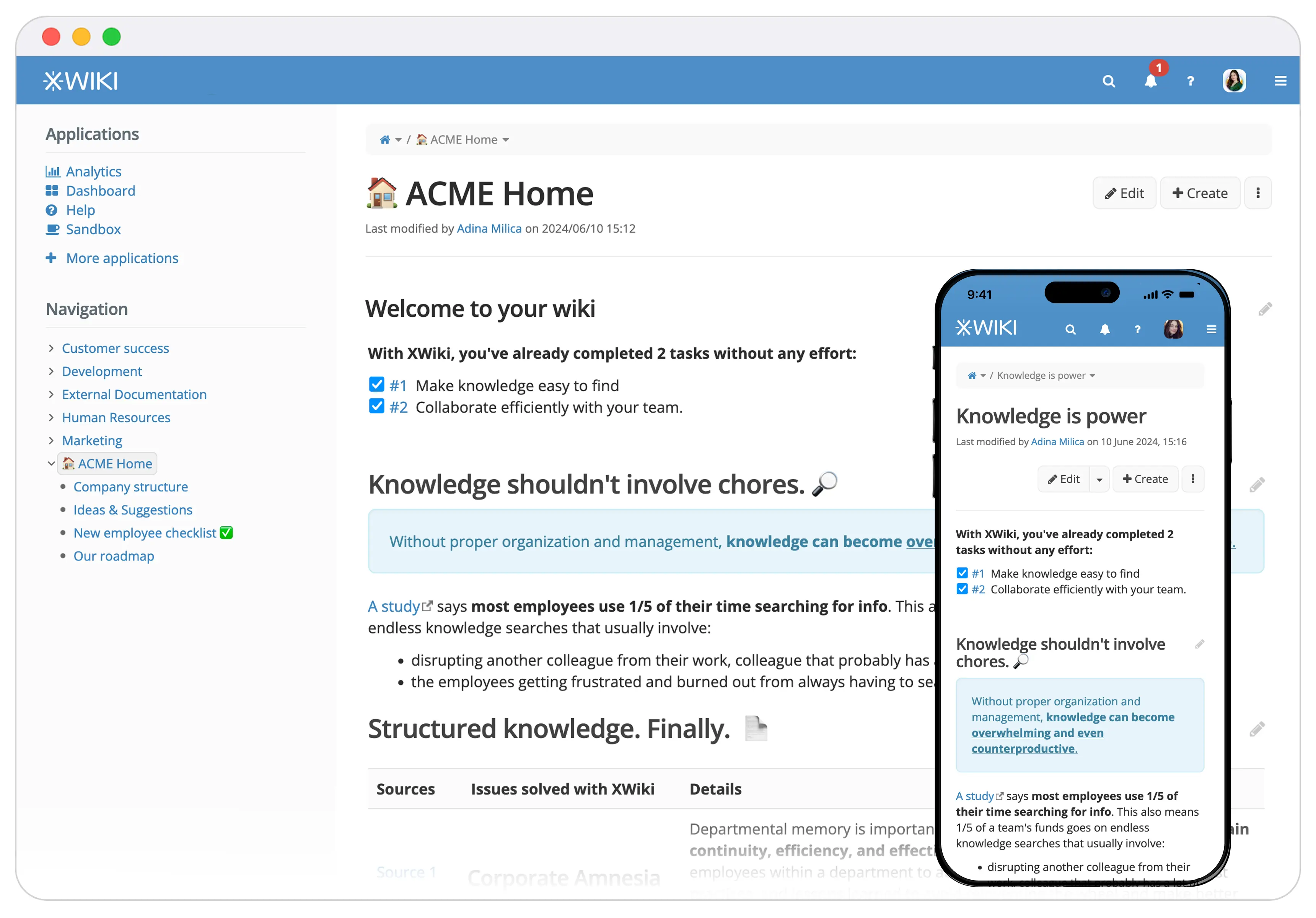
Following technical documentation best practices is easier when your documentation software supports them from the start. XWiki provides a structured, collaborative environment where teams can create, organize, maintain, and share technical knowledge in one place.
With XWiki, you can organize documentation into clear page hierarchies and use templates to standardize recurring content. Information is easy to find with powerful search, tags, and structured data. Built-in, unlimited version history keeps track of every change, while granular permissions help you control who can access and edit your documentation.
XWiki also supports real-time collaboration, comments, attachments, and multimedia content, making it easier for teams to create documentation together and provide the context users need. Its extensible architecture, REST APIs, and wide range of extensions let you connect documentation with the tools and workflows your organization already uses.
Try XWiki
Wrapping up
Technical documentation is the backbone of many technical teams. But documentation isn't automatically useful just because it exists. Poorly structured, outdated, or overly complex content can create as much confusion as it solves.
The best documentation puts users first. It gives them the right information at the right time, in a format they can easily understand and use. With the appropriate practices and documentation software, you can make your technical knowledge easier to find, maintain, and rely on.
So, whenever you create, update, or maintain technical documentation, start with one simple question: What does the user need to accomplish? Keep their needs at the center, and your documentation will be far more likely to do what it's meant to do: help people get things done.