Request resource
Building a knowledge base that lasts
How to structure, maintain, and scale your documentation



XWiki helps Confluence teams migrate to an open-source, extensible, cost-effective knowledge platform without downtime or vendor lock-in.


Unpredictable rising costs
Unmet compliance requirements
Vendor dependency & lock-in
Restricted customization options
Starting at €3.63/user/month
Content and structure fidelity
Equivalent macros
Authentication and access control
Permissions, users, and groups
APIs and integrations
Enterprise-ready “The XWiki migration tool is constantly evolving, and they are adding features requested by different customers.”Read the success story
Learn how many of your macros are supported and in what way in XWiki.
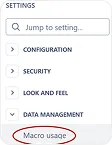
In Confluence, go to Settings.
On the left side, choose Data Management > Macro usage
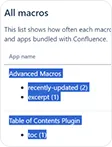
In Macro usage, scroll down to All macros.
Select with your mouse all the information in the table.
Copy it (Ctrl + C / ⌘ + C)
Paste the copied content in this area from the right.
Click the button to start the analysis.
With our Confluence Migration Toolkit, moving to XWiki is straightforward and designed to reduce migration risk at every step.
Accurate migration
Structure and macro preservation
Pre-migration validation and risk detection
Detailed reporting and troubleshooting
Business continuity
Long-term support
Migrate also from Jira with OpenProject
After you're satisfied with the results of trial migrations, you can move multiple spaces or full Confluence backups in one batch migration.
Reuse saved configurations to speed up recurring migrations while preserving structure, permissions, metadata, history, comments, attachments, and more with precision.
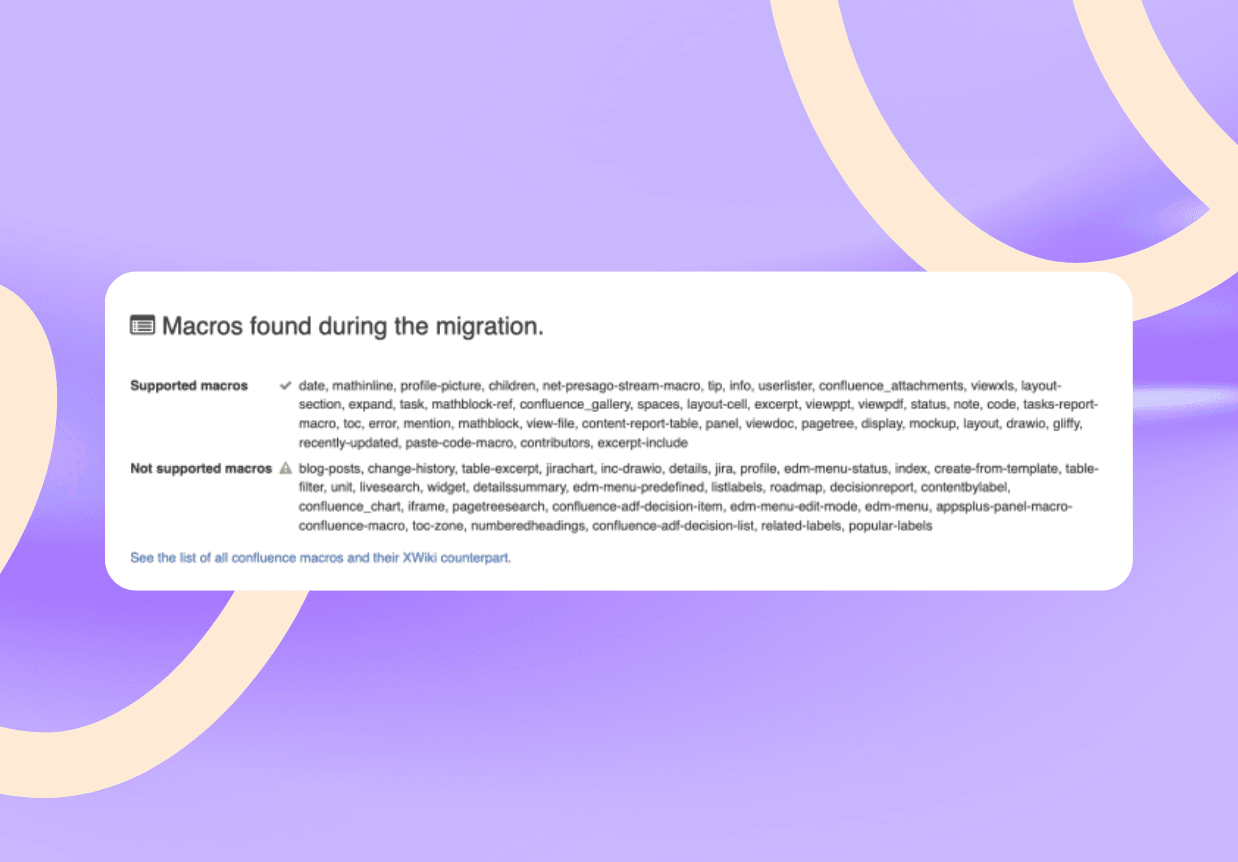
XWiki’s Confluence Migration Toolkit handles macros by converting Confluence macros into equivalent XWiki or bridge macros, preserving their content and functionality.
XWiki’s Confluence Migration Toolkit migrates different types of Confluence data, including pages, spaces, attachments, users, comments, and page metadata.
It preserves the original structure and relationships between these elements, so migrated content remains organized and usable within XWiki.
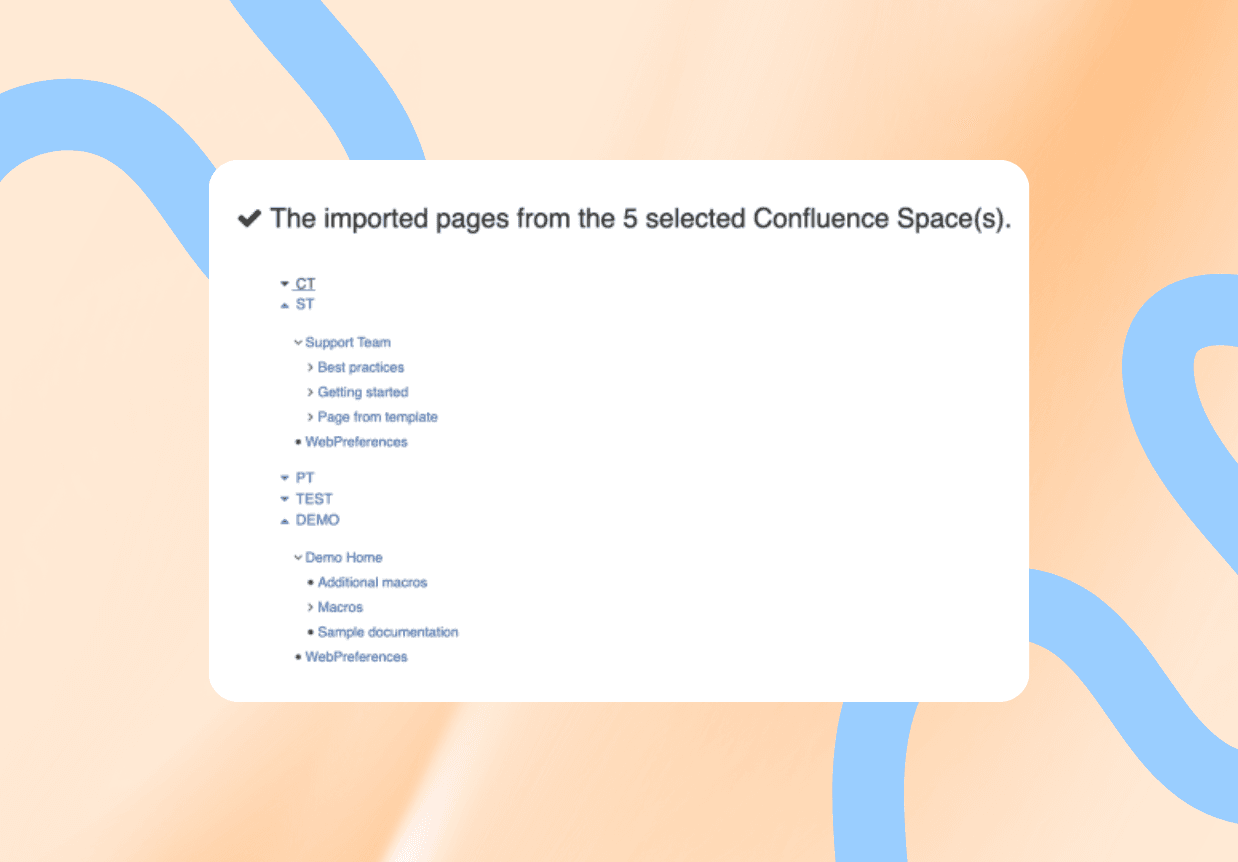
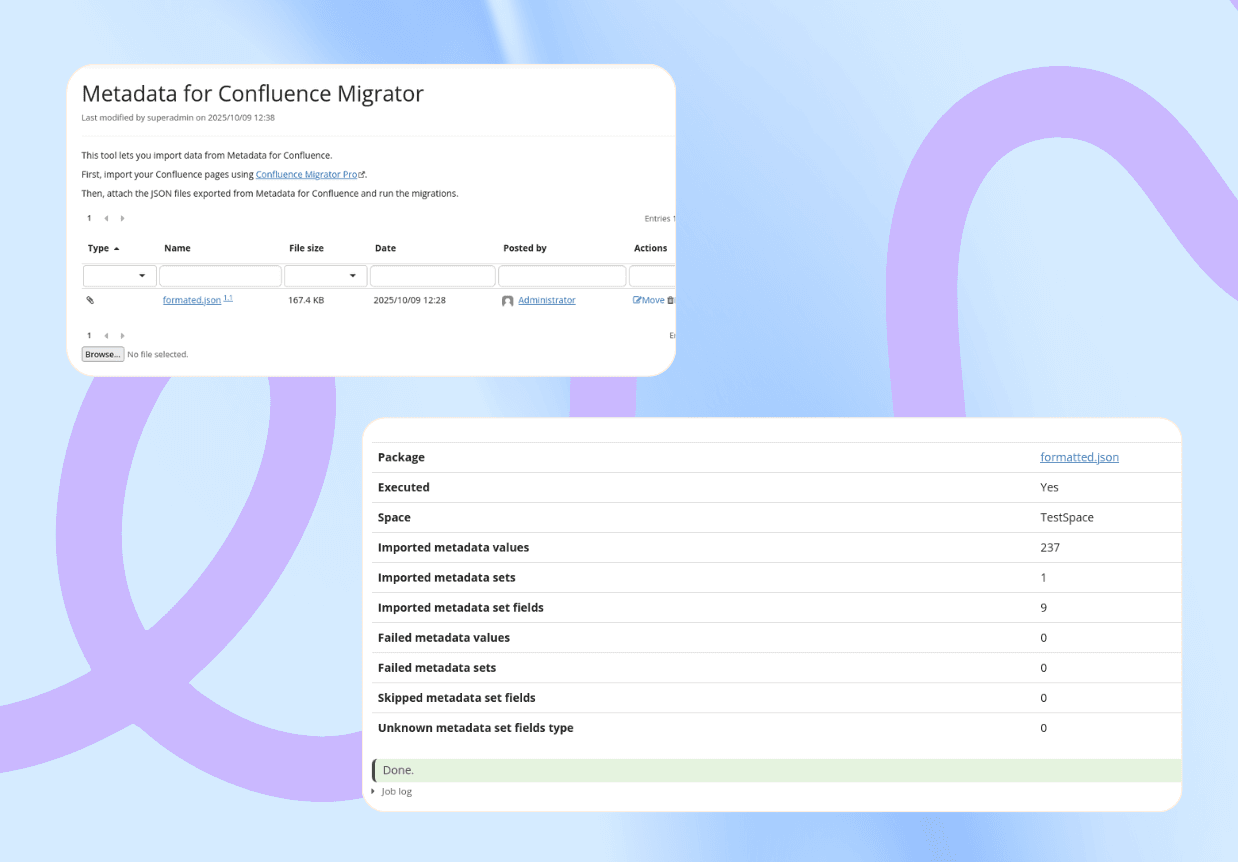
XWiki’s Confluence Migration Toolkit also migrates key metadata associated with Confluence content, such as page titles, authors, creation and modification dates, labels, and page relationships.
This helps preserve the original context, organization, and traceability of the content after migration.
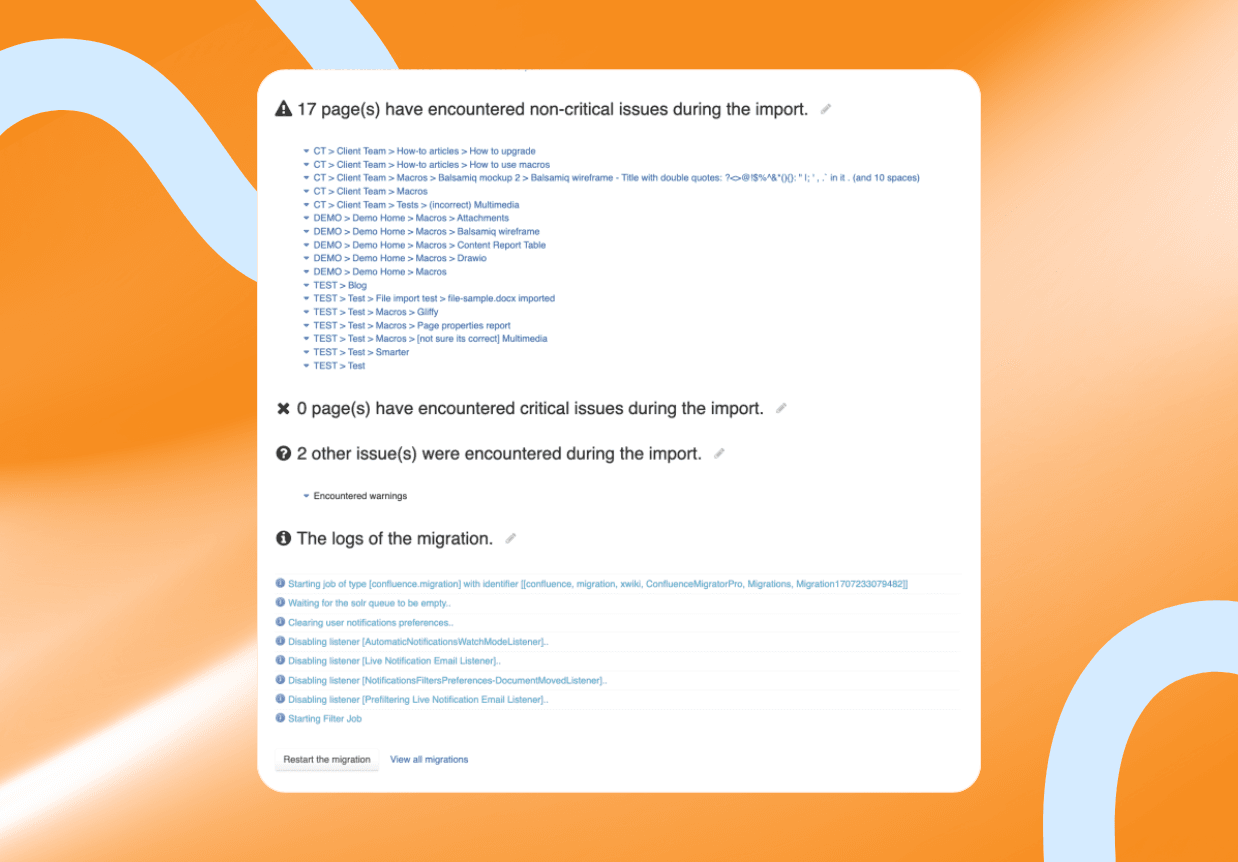
XWiki’s Confluence Migration Toolkit provides reports to help track the migration process and identify potential issues. These reports can highlight migrated content, unsupported features, errors, and items requiring manual intervention, making it easier to validate the migration and address problems.
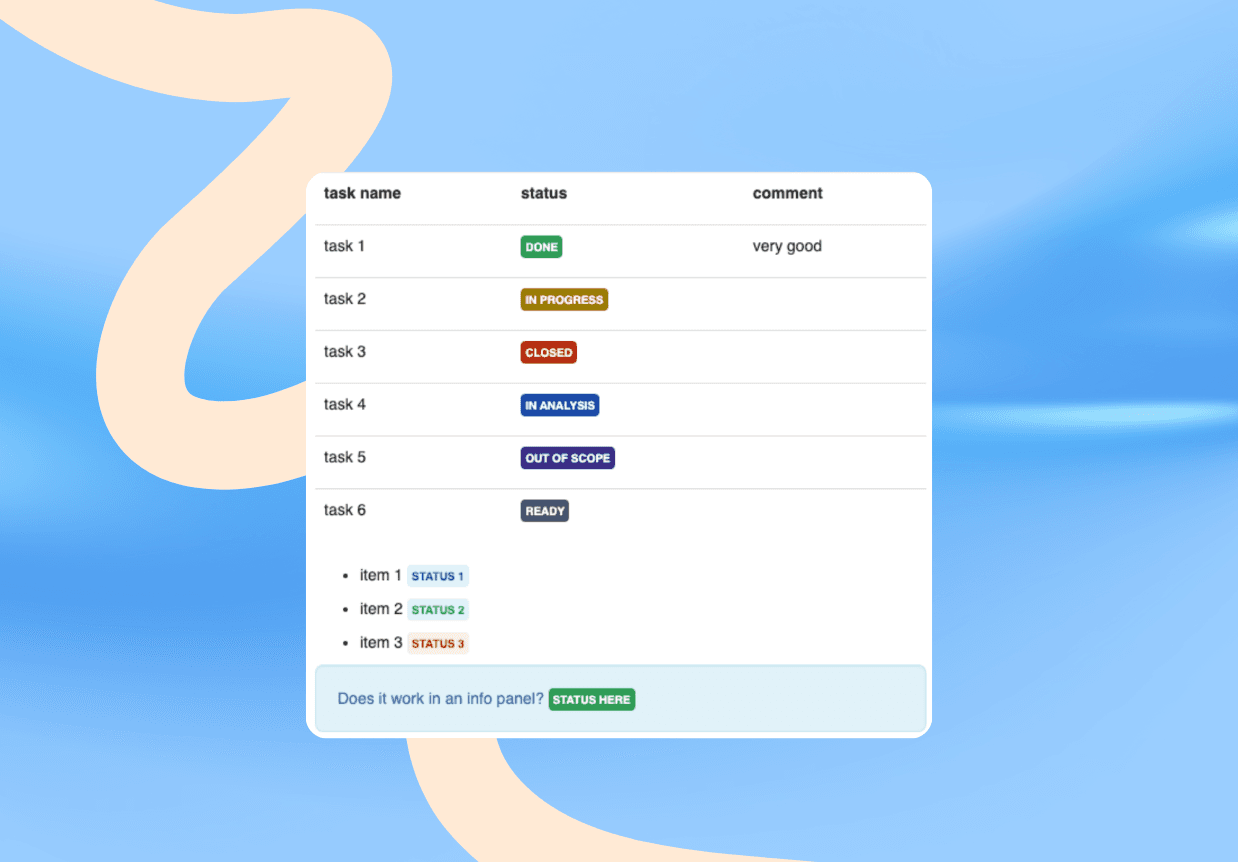
XWiki’s Confluence Migration Toolkit can migrate task-related content and calendar information, helping preserve deadlines, assignments, events, and scheduling details.
This allows teams to retain important planning and collaboration data when moving from Confluence to XWiki.
Get direct access to XWiki experts whenever you need help.
We offer flexible support plans tailored to your needs, covering the XWiki core platform, selected extensions, or the full ecosystem of 900+ community extensions. You can choose the level of support services that best match your organization's requirements.
In addition, our support services for XWiki Cloud are backed by an ISO 27001-certified Information Security Management System.
Benefit from the guidance of our XWiki SAS employees with 20 years of experience, architects, and consultants to make the right decisions from the start.
Planning a new deployment, a migration, or the evolution of an existing platform? Our experts help you define your requirements, evaluate technical options, and build a roadmap tailored to your goals.

Most commonly, organizations plan their migration per team or per department.
For example, in week 1, the Confluence spaces used by the Sales department are set to read-only, exported from Confluence, and migrated to XWiki.
Then the Sales team switches to XWiki for editing and creation of new pages, while their Confluence spaces are kept in read-only for reference. Depending on the size of your Confluence site, you may also be able to do the migration in one shot using the backup export.
The migration typically works like this:
Export from Confluence: Use Confluence's native export mechanisms — space by space (XML) or a full site XML backup. You don't have to stop Confluence to create exports.
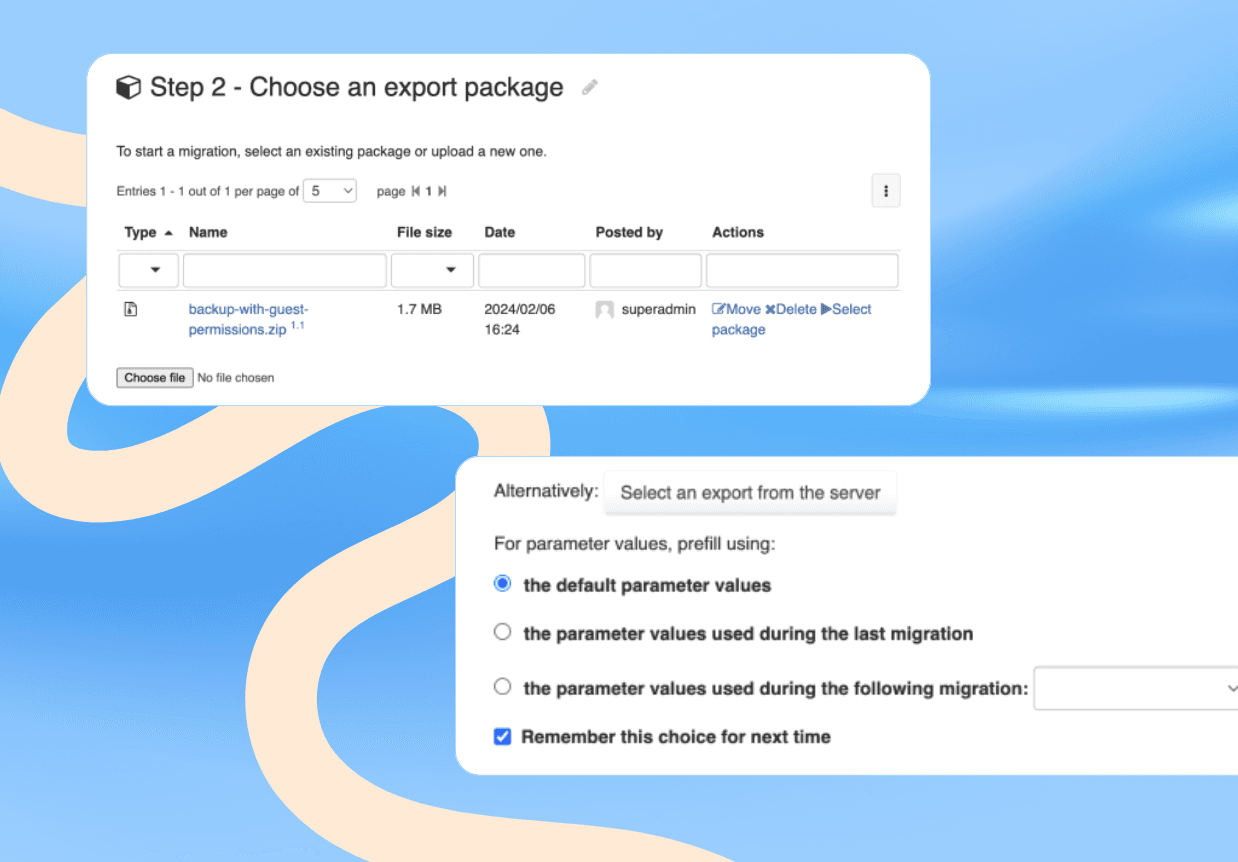
Import into XWiki: Install the Confluence Migration Toolkit on XWiki. Go to the Confluence Migrator UI and upload the XML export or select it from your server. Run the migration per space, in batches, or on the full backup. The migrator will import pages, attachments, comments, users, groups, permissions, and more, according to the parameters you set.
Post-migration steps: After import, the tool produces a report of everything imported and any issues identified (e.g. macros without equivalents, broken links). Most standard content comes through well since the toolkit covers history, attachments, labels, users, groups, permissions and many macros.
The recommended approach is iterative: export a space or set of spaces, import to XWiki, review, then plan a cutover. XWiki can handle very large imports — migrations involving terabytes of data have been completed. The main considerations are memory and timeout settings and proper environment setup.
Most teams group multiple Confluence spaces into one XWiki wiki. Subwikis are "buckets" for when you need stronger separation — typically a small number aligned to real boundaries like a department, business unit, region, or security domain. Creating one subwiki per Confluence space rarely makes sense at scale.
It is also completely possible to migrate all Confluence spaces into XWiki's main wiki. The choice between "only a main wiki" versus "a few subwikis as buckets" depends on the kind of content you are migrating and how much separation you actually need in day-to-day operations.
We highly recommend understanding the current workflows and usage of Confluence before starting the data migration. Here is a shortlist of things to consider:
There are multiple variables that can make a migration complex. The most common ones are:
XWiki SAS offers the full suite of professional services for migrations, from installation and setup to training, consulting, migration execution, and finally long term technical support. Most commonly, organizations prefer to migrate themselves, on their own timeline, and the XWiki SAS architects or partners assist with initial setup, consulting during the migration phase, and long term support once the migration is done.
We encourage organizations to create a free cloud demo to run test migrations and reach out to contact@xwiki.com for any questions related to migration projects.
Yes, but we highly advise using it as part of the Confluence Migration Toolkit, which bundles all the apps (including macros) and services needed to quickly transfer data and benefit from long-term technical support. What you'll find in the Toolkit:
Links to content not yet imported will not work until the target page is created in XWiki, but the issue will not persist after all data has been migrated. If links are still broken after migrating all content, you can fix them using the dedicated "Post migration fixes" included in the migration tool.
There is no need to do so, as permissions can be migrated independently from users. After migrating your pages, you can run a separate migration for users and/or permissions (via the Advanced parameters of the migration), and access rights will be correctly applied. You can even migrate permissions without the users present on the wiki yet — they will apply as soon as the users are created in XWiki.
A fully REST API-based import is not recommended, as some resources are not easily accessible and compatibility issues can arise depending on the Confluence version. You can, however, create scripts to export from Confluence spaces one after the other, organise them in batches, and then use the Confluence Migrator (Pro) to setup batch migrations.
In this way, the migrations will run one after the other and you will be able to review the reports as they are being completed. This method also ensures sufficient resources and produces a report for fixing broken pages after import.
Yes, you can organise your space exports in batches, which will trigger the migration of each space one after the other. Also, if you have a fairly small instance, you can use Confluence's backup export, export the whole confluence site, and migrate the full site in one run in XWiki. All three options (single space, batch, and backup export) are available in the Confluence Migrator (Pro).
Yes, you can re-run migrations on the same space if there's a new version of the content. Pages that did not change will be skipped and pages that have updates will be imported. Alternatively, you can run migrations in batch and move one team/department at a time from Confluence to XWiki.
Send us a request and we will get back to you as soon as possible.
Loading the form…
The form could not be loaded. Please reload the page. Or contact us directly.