

The second quarter of 2025 brought powerful improvements across the XWiki ecosystem, from collaboration enhancements in XWiki standard to more flexibility in Pro Apps, XWiki Cloud, and the Cristal interface.
Whether you're an end user, an admin, or a developer, there’s something here to help you work faster, manage content more securely, and customize your experience more easily.
Let’s take a look at what’s new. (Tip: Use the table of contents below to jump to the section that interests you most.)
XWiki standard
*
TL;DR
- The real-time editing toolbar has been redesigned to simplify collaboration and improve usability by focusing on essential actions and showing who’s editing in real time.
- You can now toggle and resize panel columns, giving you more control over your workspace layout based on your browsing preferences.
- A new UI for setting required rights makes it easier and safer for admins to enforce specific permissions on pages, protecting content integrity.
👉 Try these improvements and share your feedback with us.
#1 New real-time editing toolbar
The toolbar displayed at the bottom of the page during real-time collaboration has been redesigned for a cleaner, simpler experience. With auto-saving, unnecessary buttons were removed, and the toolbar now prominently shows who is currently editing the page. Versioning controls were moved into a dedicated modal for better focus and clarity.
👉 Tell us what you think about the new toolbar!
#2 Toggle and resize panel columns
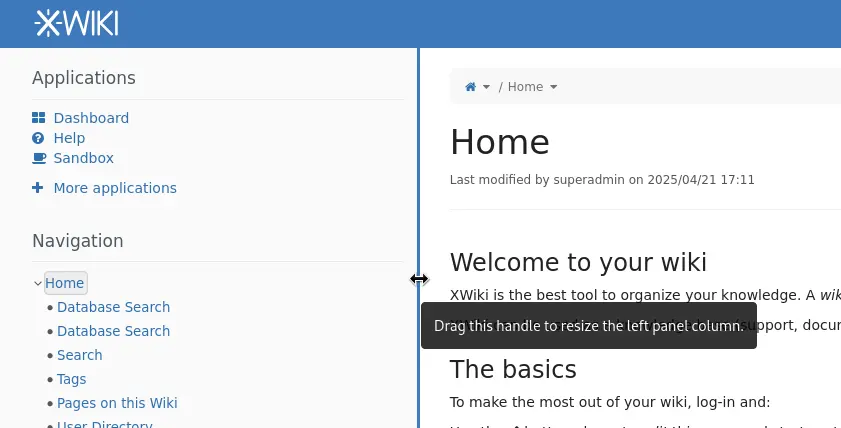
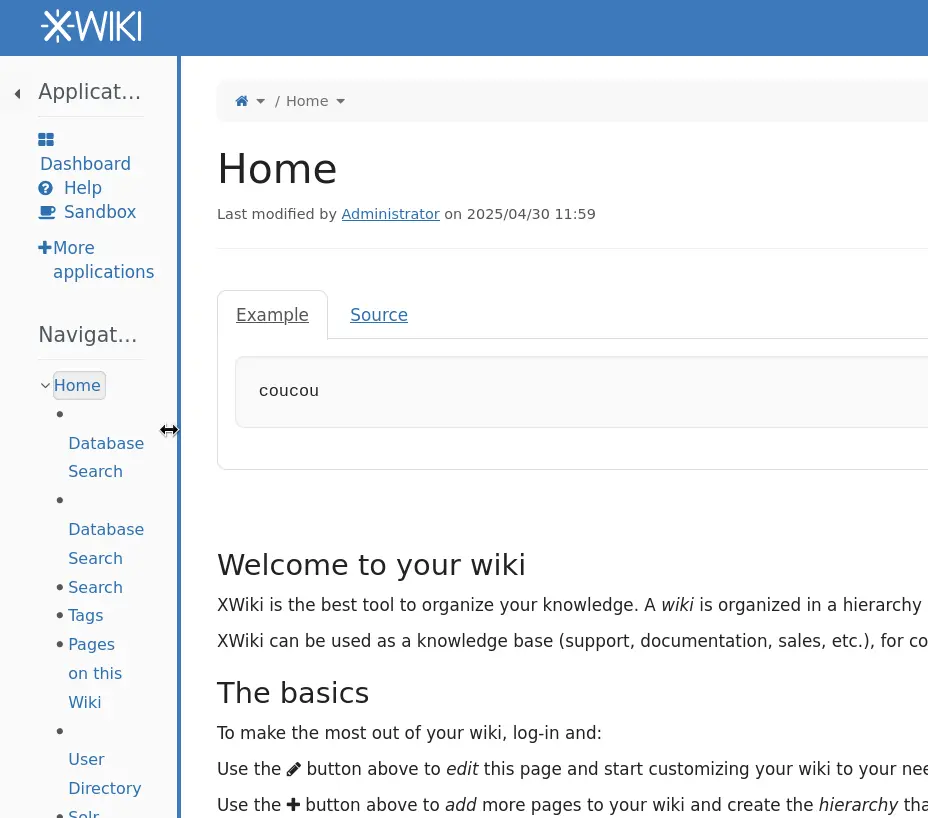
When panels are enabled, you can now resize them using a handle or toggle them on and off with a new button. This flexibility lets you customize your navigation and workspace layout to match your personal browsing preferences and workflow needs.
👉 Check the release notes.

#3 New UI for setting required rights
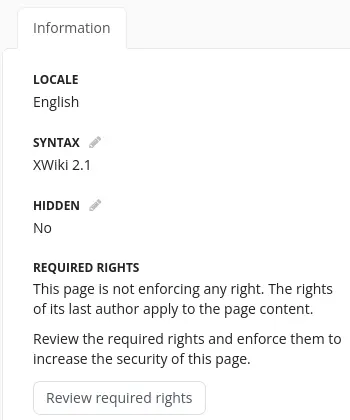
Admins and advanced users will appreciate the redesigned interface for managing required rights on pages. The new UI lets you choose whether to enforce required rights and define exactly which rights apply. This helps prevent accidental content breakage or unauthorized script execution by ensuring only users with proper permissions can edit or run sensitive content.
What’s next
Expect new UI improvements for pagination and the search page, along with better performance to make XWiki faster and more efficient.
XWiki Cloud
*
TL;DR
- All Cloud instances have been upgraded to XWiki 16.10.9, bringing usability improvements and a new default real-time WYSIWYG editor.
- Admin Tools (Pro) version 1.2 makes it easier to manage user rights and improve security on your instance.
- Cloud demos now have 3GB of memory by default, allowing for smoother testing and more robust Confluence migrations.
💡Try all the improvements in XWiki Cloud.
#1 XWiki Cloud instances upgraded to version 16.10.9
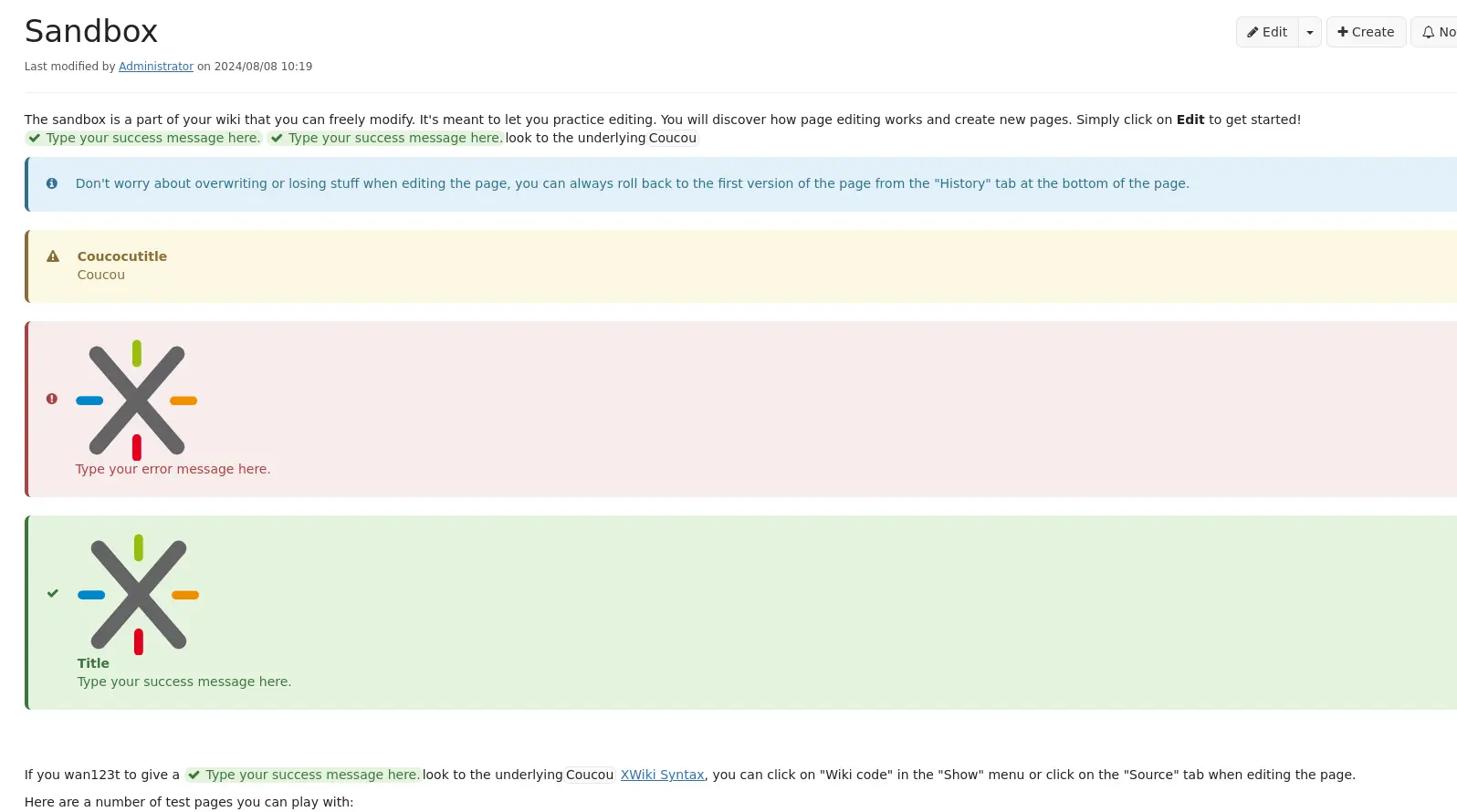
In Q2 2025, all Cloud instances were upgraded to XWiki version 16.10.9. This new version introduces several usability improvements, including the default real-time WYSIWYG editor, updated message box styles for better visibility, and a new "Supported by" section in the Extension Manager that helps identify apps and extensions maintained by the community and the XWiki SAS team.
These continuous upgrades ensure that our Cloud clients benefit from the latest features, performance improvements, and bug fixes, keeping your wiki secure, modern, and efficient.
💡 Try XWiki Cloud for free for up to 30 days!

#2 Manage rights more easily with Admin Tools (Pro)
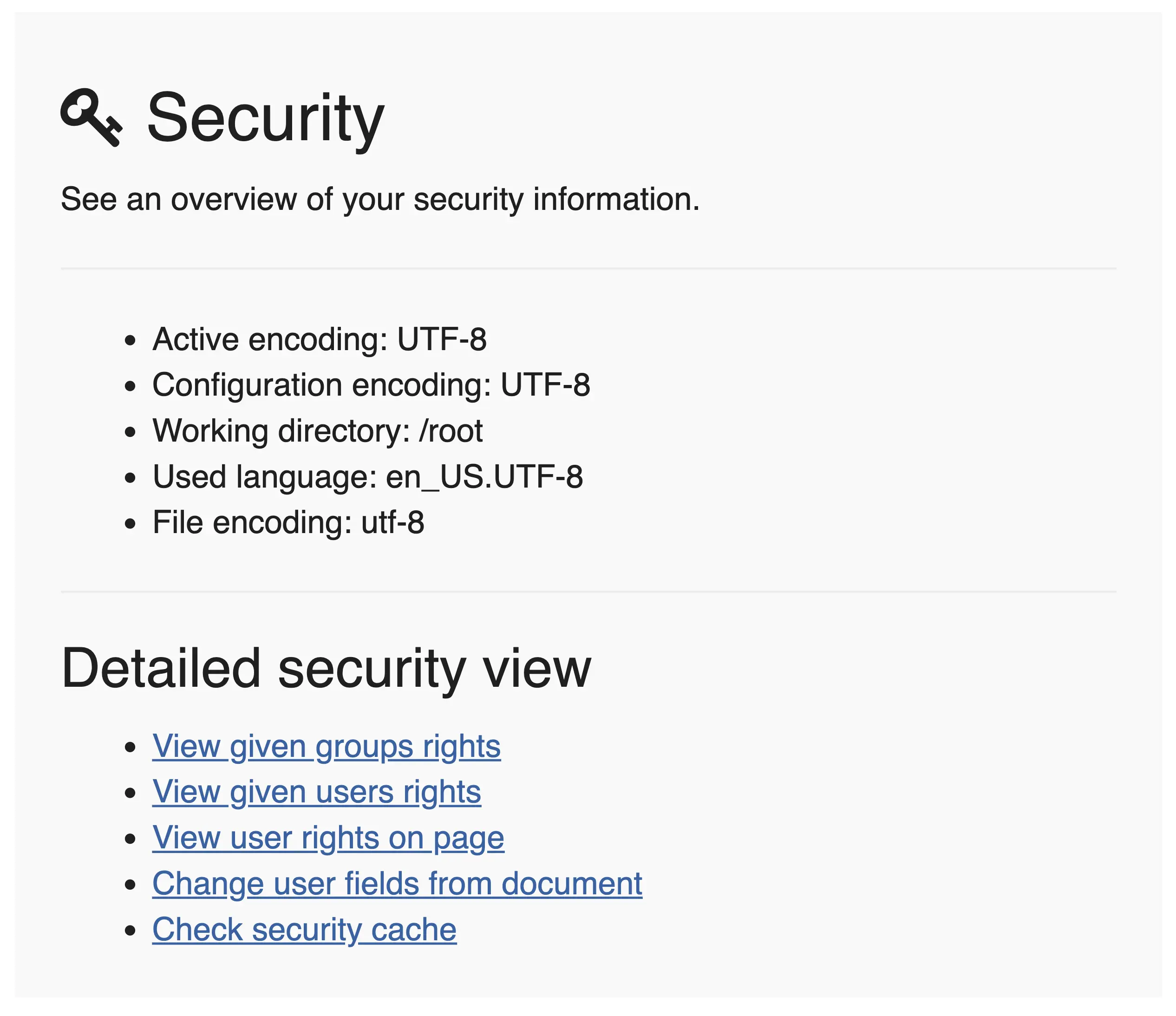
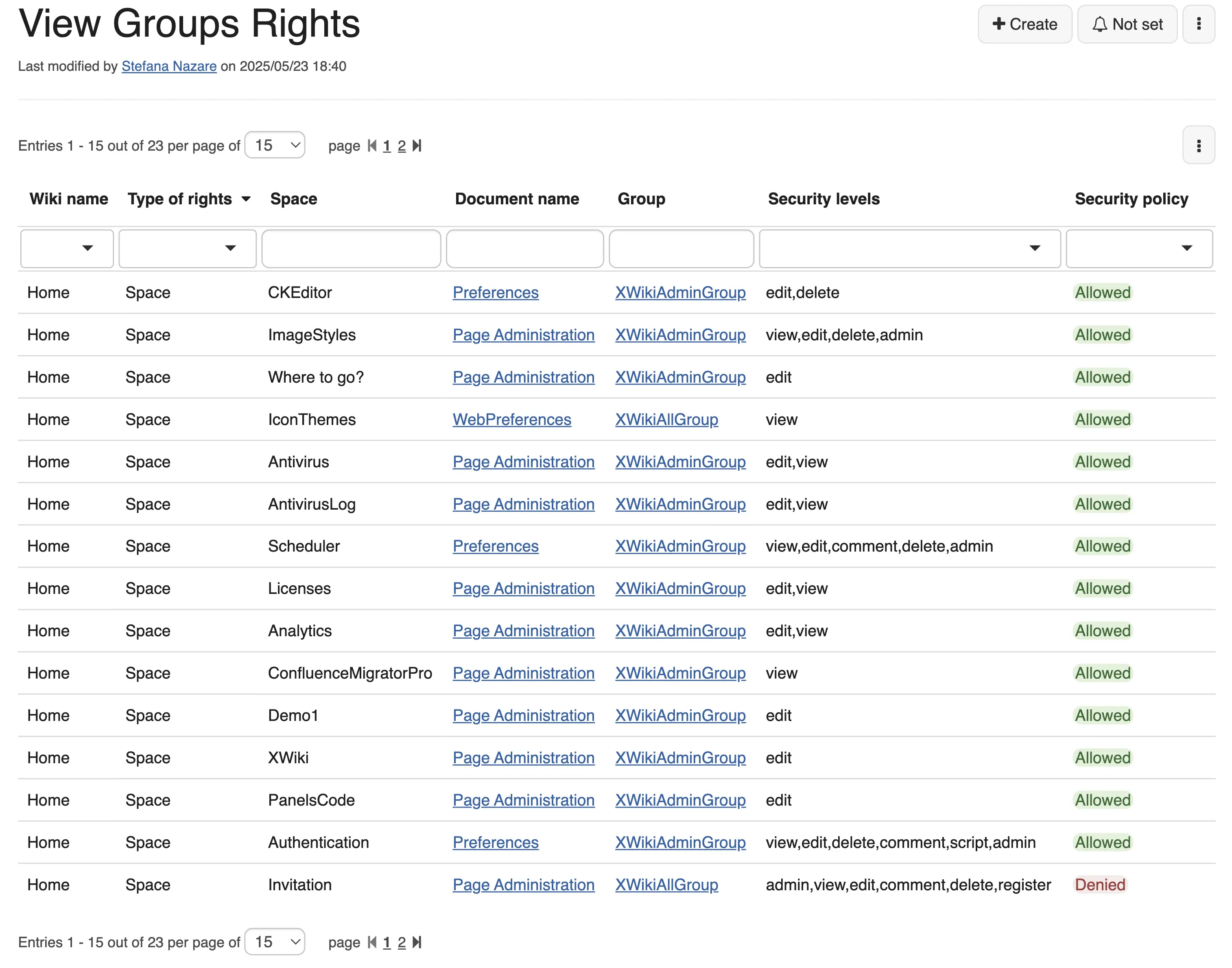
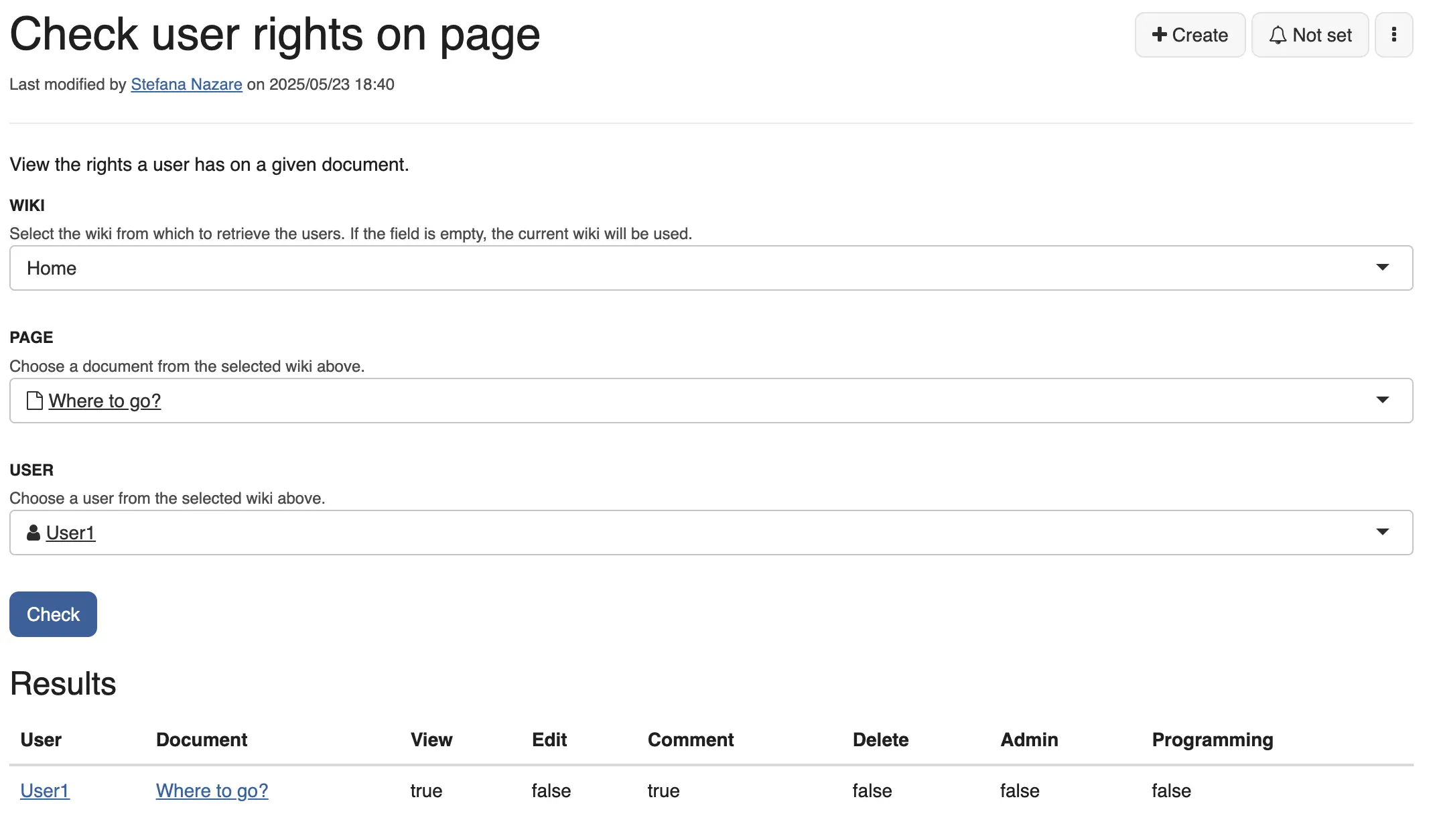
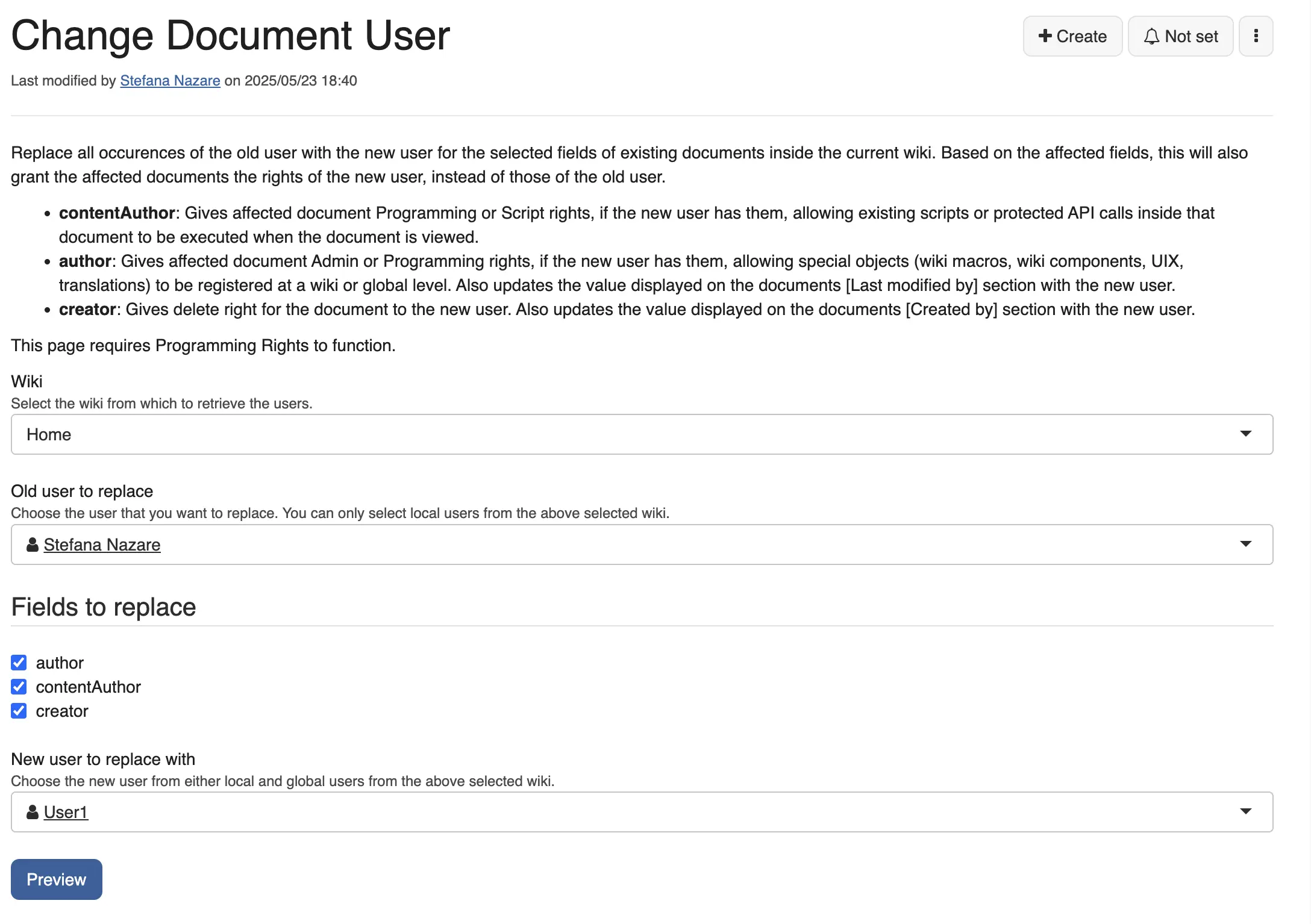
Admin Tools (Pro) has been updated to version 1.2, making it easier than ever to manage your Cloud instance. The new Security section lets you view user and group rights across all pages or for a specific page in a livetable. You can also edit user fields directly and check the security cache.
As an admin, this helps you quickly spot incorrect or missing permissions and makes rights management more efficient and transparent.
💡 Try Admin Tools (Pro). Install it in your XWiki instance and generate a free trial from the License section.
#3 XWiki Cloud demos now have more memory
To offer a smoother experience for testing XWiki, especially for those migrating from Confluence, Cloud demo instances now come with 3GB of memory by default. This allows for faster and more reliable demos, including running heavy tasks like content imports or complex setups.
Whether you’re evaluating XWiki or running performance-heavy use cases, the extra memory helps you test the Confluence Migrator (Pro) better.
💡 Try XWiki Cloud for free for up to 30 days!
📋 For understanding how XWiki stacks against Confluence, we invite you to read our comparison.
What’s next
We're preparing to launch cloud flavors tailored to specific use cases, including a Confluence Migration flavor and a Documentation flavor. These will help you get started faster and explore relevant features with just a few clicks. If you're interested in a specific use case, let us know.
Pro Applications
*
TL;DR
New Pro App features are here to boost productivity and make integrations and migrations easier.
- You can now preview documents with Pro Macros, manage custom workflows with Ideas Application (Pro), and see licensed dependencies transparently.
- We're also building an OpenProject integration, set to launch next quarter!
👉 Want to influence the roadmap? Share your feedback on the dedicated form in the store or on GitHub.
#1 OpenProject integration coming soon
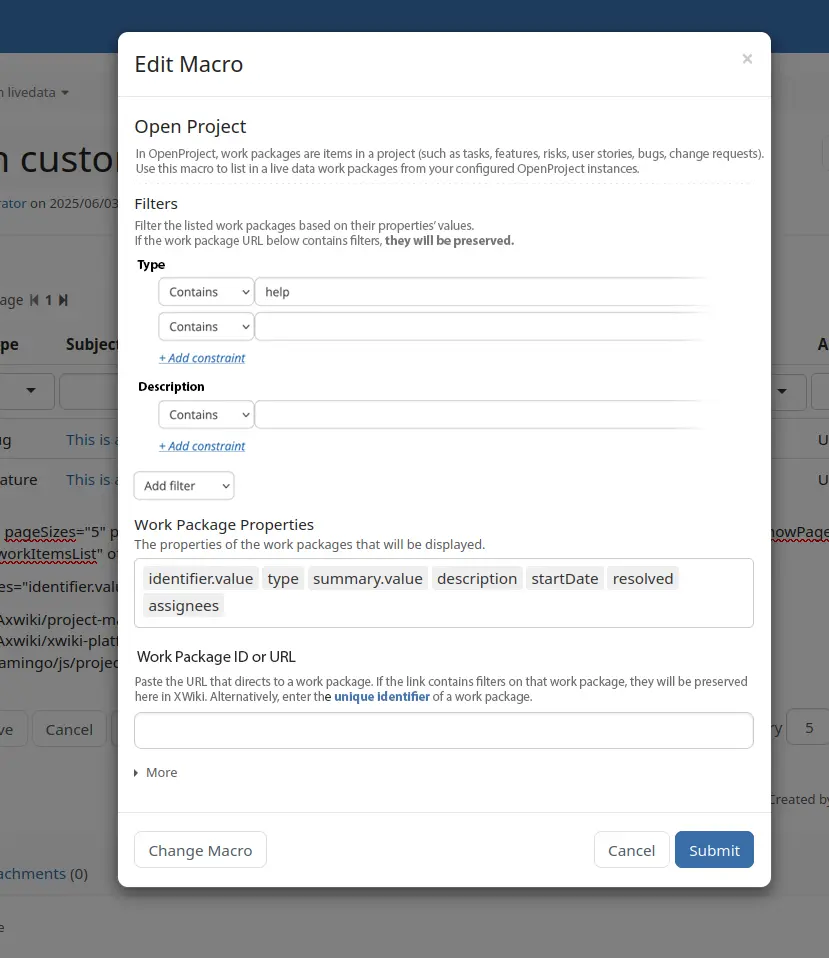
We’ve kicked off development on a new OpenProject integration, planned for release in Q3 2025. This upcoming app will allow you to connect your OpenProject instance to XWiki and display filtered work packages directly in wiki pages.
If you’re a project manager or team leader, this integration will help you streamline your project and knowledge management in a single workspace, using only open-source tools.
#2 Licensor now shows licensed dependencies
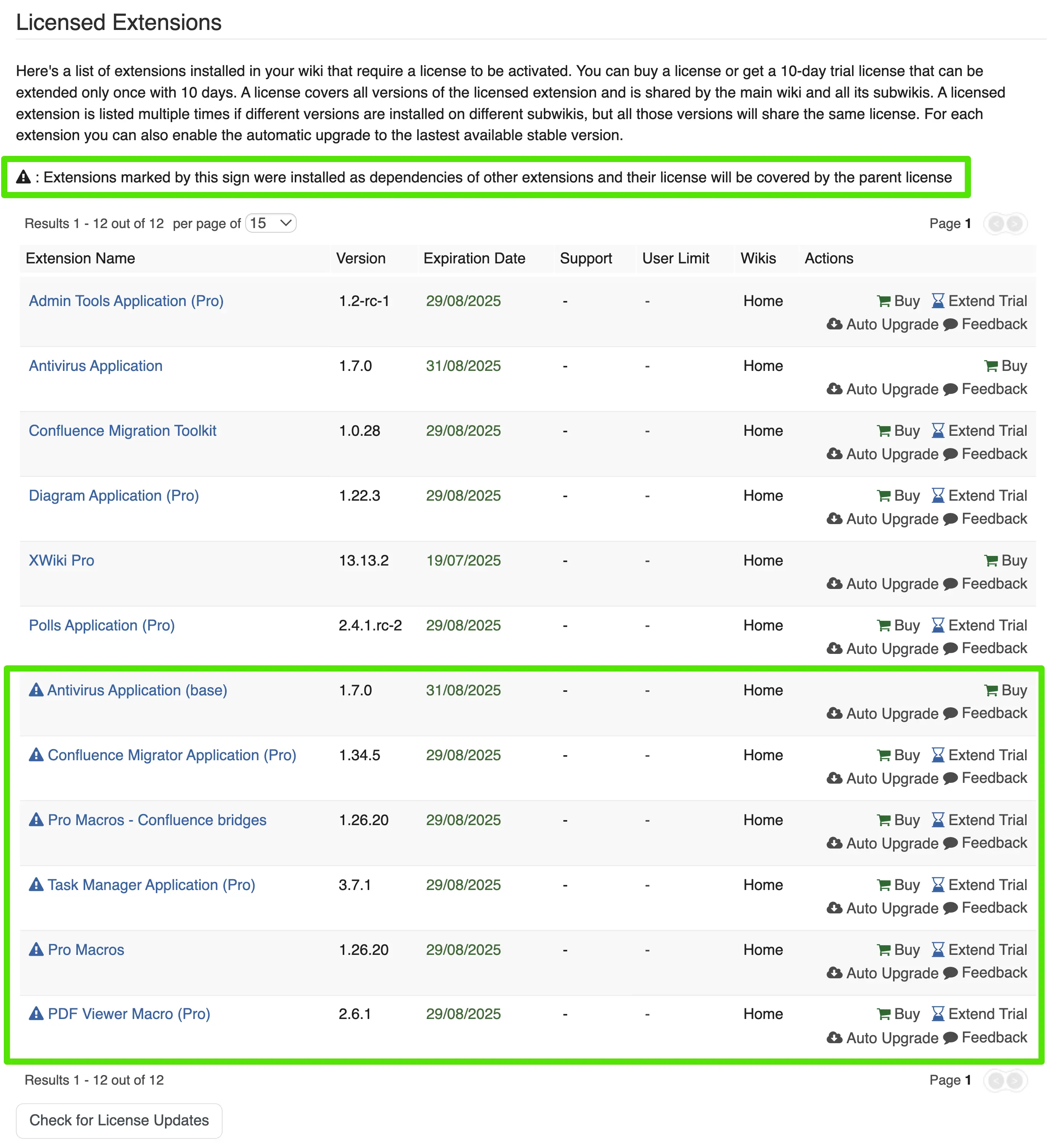
The Licensor app now provides a better overview of licensed applications. You can now view licensed dependencies directly in the administration section, grouped under their parent application.
For administrators, this makes it easier to manage app installations and renewals by understanding how dependencies are covered under your license, improving transparency and control across your instance.
💡 To try this out, simply install XWiki Pro in your XWiki instance and generate a free trial from the License section.
#3 Add custom statuses in Ideas Application (Pro)
The Ideas Application (Pro) now allows you to add custom statuses beyond the default ones. This means you can tailor the idea lifecycle to fit your organization’s internal processes.
Whether you're managing innovation pipelines or simply gathering internal feedback, this added flexibility helps you track and evolve ideas more effectively.
💡 To try out the app, simply install the Ideas Application (Pro) in your XWiki instance and generate a free trial from the License section.

#4 View document preview with Pro Macros
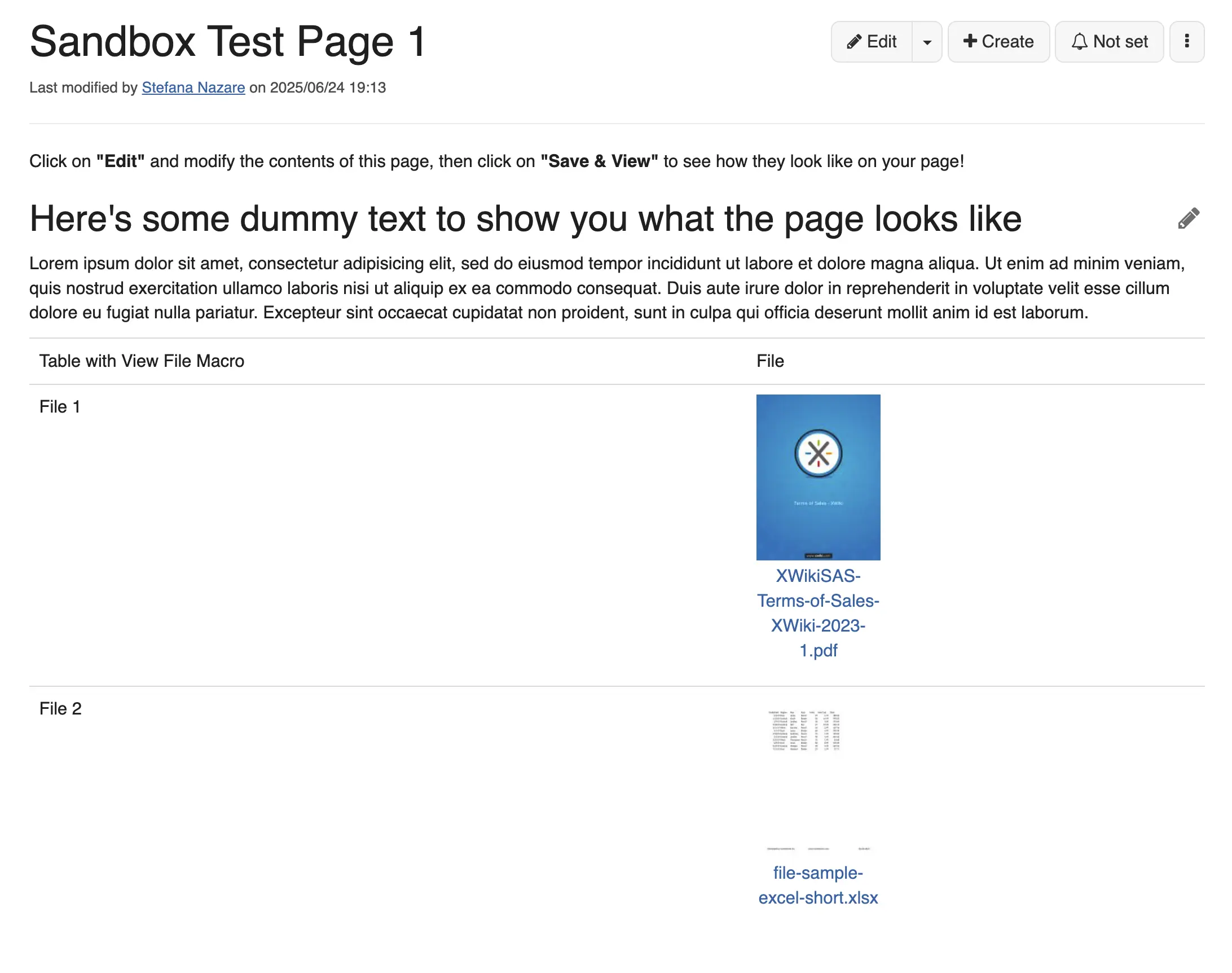
Version 1.27.0 of Pro Macros introduces a much-requested feature: thumbnail previews for the View File macro. Instead of generic file icons, users now see a visual preview of the attached document. Clicking the thumbnail opens a full viewer with download and edit options.
This is especially helpful for users coming from Confluence, as it makes document viewing and navigation more intuitive.
💡 To try out the app, simply install the Pro Macros in your XWiki instance and generate a free trial from the License section.
What’s next
We're working on major updates to Task Manager (Pro), including a new taskbox macro. This upcoming feature will let you insert a simple to-do item inline, without needing to create a full task page. This answers the need for a lighter task tracking inside pages with content.
Do you have suggestions? Share them with us in the dedicated form or open a GitHub ticket in the extension’s repo. We’d love to hear from you!
Cristal, a new wiki UI
*
TL;DR
- Developers can now manage settings through a dedicated Settings API.
- Users can configure their back ends at runtime, without editing code or restarting the app.
💡Try the configuration settings and the back-end options and let us know what you think!
#1 New Settings API for developers
Cristal now includes a Settings API that allows developers to create, store, and manage user settings in a unified way. This gives you a clean and consistent method for handling user settings across different Cristal extensions or plugins, making development faster, more robust, and easier to scale and maintain.
👉 Check the release notes.
💡 Try out the Settings API to simplify your configuration logic and let us know your thoughts!
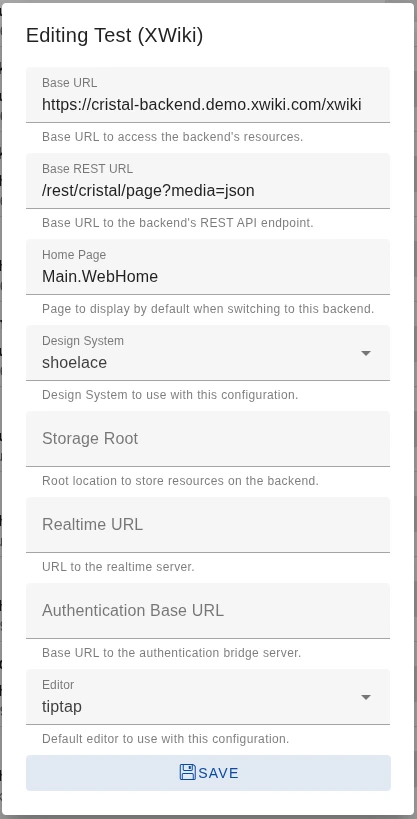
#2 Configure back ends at runtime
You can now create and manage back ends at runtime in Cristal. Whether you're running in the browser or using the Electron client, your configurations are automatically saved locally. No hard-coding or redeploying is needed just to add a new back end. For power users and testers, this means it’s easier than ever to connect to different data sources.
👉 Check the release notes.
💡 Try out the Configurations Panel for various back ends and let us know what we could improve!

CryptPad
*
TL;DR
This quarter brought major improvements for everyday users and developers alike:
- Documents, Spreadsheets, and Presentations now benefit from the OnlyOffice 8 upgrade, unlocking a more accessible, collaborative, and efficient editing experience.
- Accessibility across CryptPad has been enhanced to better support screen readers, keyboard navigation, and mobile responsiveness.
- Mobile interactions were refined for smoother navigation and touch performance.
- The CryptPad Integration API is now available for developers who want to embed collaborative editing into their apps with full end-to-end encryption.
💡Try out the new features and improvements and let us know what you think!
#1 Better collaboration with OnlyOffice 8 upgrade
CryptPad now features OnlyOffice 8, bringing multiple upgrades to Documents, Presentations, and Spreadsheets. The new version introduces support for right-to-left languages, a cleaner user interface, an intuitive Design tab in Presentations, the much awaited real-time Undo in collaborative mode, spell checking, and more.
For teams working in multilingual settings or anyone seeking a smooth, privacy-respecting editing experience, these improvements make day-to-day collaboration easier and inclusive.
💡 Try out the upgraded office pads on cryptpad.fr or on your CryptPad Cloud instance.
#2 Accessibility improvements across CryptPad
Major progress has been made toward WCAG compliance in the past quarter, with improvements across the platform to support keyboard navigation, screen readers, and responsive design:
- The notifications page, login/registration flows, modals, markdown toolbars, and Kanban tags are now keyboard-accessible.
- Screen reader support has been expanded, with proper automatic announcements, accurate roles, and checkbox states.
- Visual contrast and mobile responsiveness were refined to enhance usability for all.
These changes make CryptPad more inclusive and ensure everyone can collaborate securely and comfortably.
💡 Try out the new accessibility improvements on cryptpad.fr or CryptPad Cloud.
#3 Smoother mobile experience
Mobile usability has taken another leap forward. On Kanban boards, unnecessary touch blockers have been removed to restore responsive scrolling, especially on Android and Firefox. In Slides, users can now exit presentation mode and view controls with a tap, mimicking the hover interaction on desktop.
These updates follow feedback from mobile users and build on past improvements like faster load times, continuing our effort to make CryptPad easy to use across all devices.
💡 Try CryptPad on mobile and let us know more about your experience and needs!
#4 New CryptPad integration API
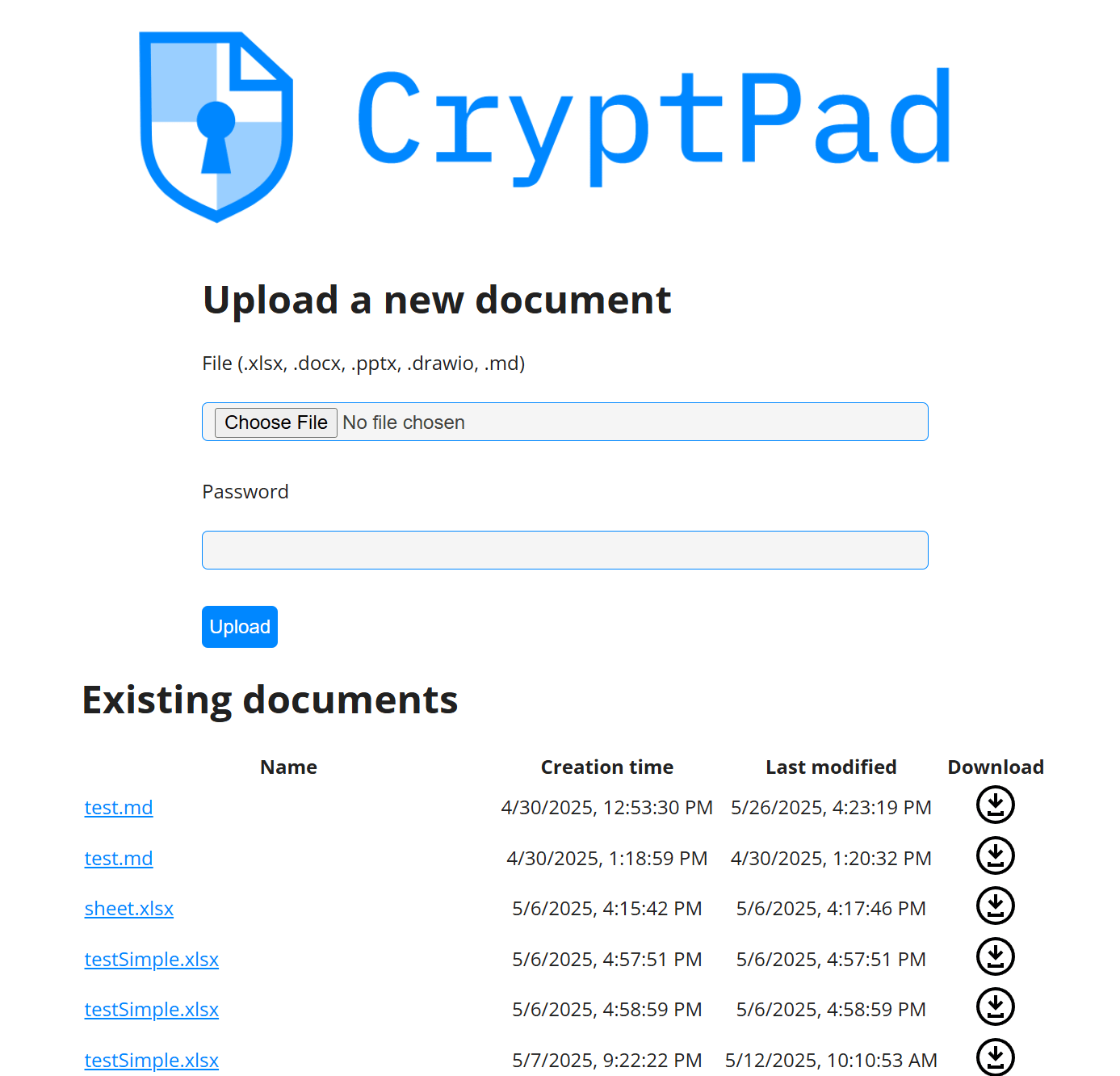
Developers can now connect their apps to CryptPad with the CryptPad integration API. This API lets you embed collaborative editing into any file storage system, with full end-to-end encryption preserved. All CryptPad document formats are supported, including real-time editing for text, spreadsheets, and slides.
Whether you're building a secure cloud workspace or integrating editing into a SaaS platform, this API opens new possibilities for encrypted collaboration.
💡 Explore the API documentation, test the demo server, and start building your own integration.
What’s next
We're continuing to improve performance, particularly for cryptpad.fr,\\ \\to support growing demand. The API has already sparked interest and was presented at the Actions event on July 1st (video coming soon). While we keep future plans flexible, usability remains a top priority.
👉 We're always listening. Share your feedback and tell us what matters most to you in CryptPad in our forum or on GitHub!
*