

The highlights of our November updates include important enhancements to the Confluence Migrator (Pro), Calendar Application (Pro), and Pro Macros, along with the exciting launch of the new Open Project Integration (Pro). We’ve also rolled out a series of smaller improvements throughout the Pro Apps suite to make your experience even smoother.
*
#1 Open Project Integration (Pro)
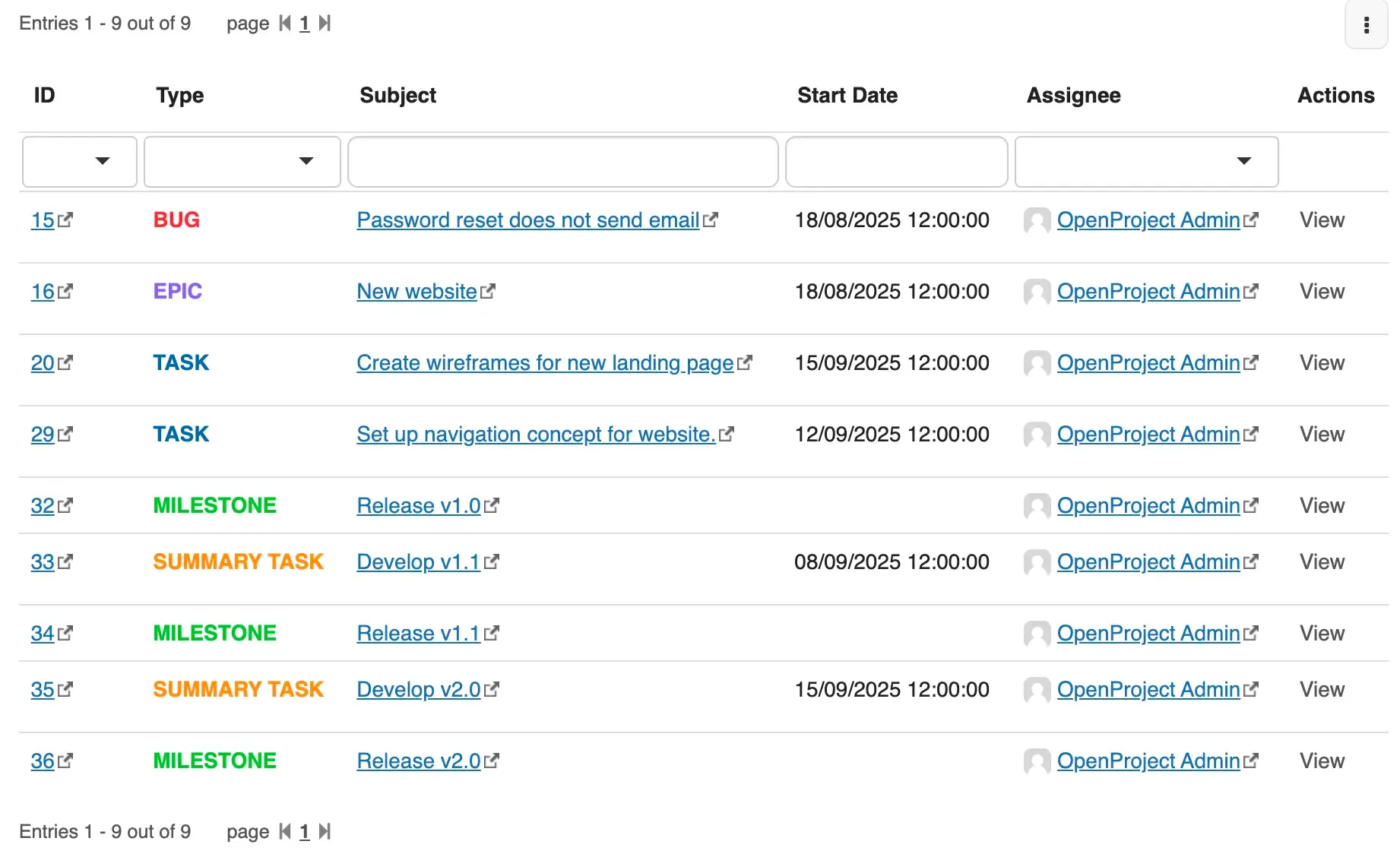
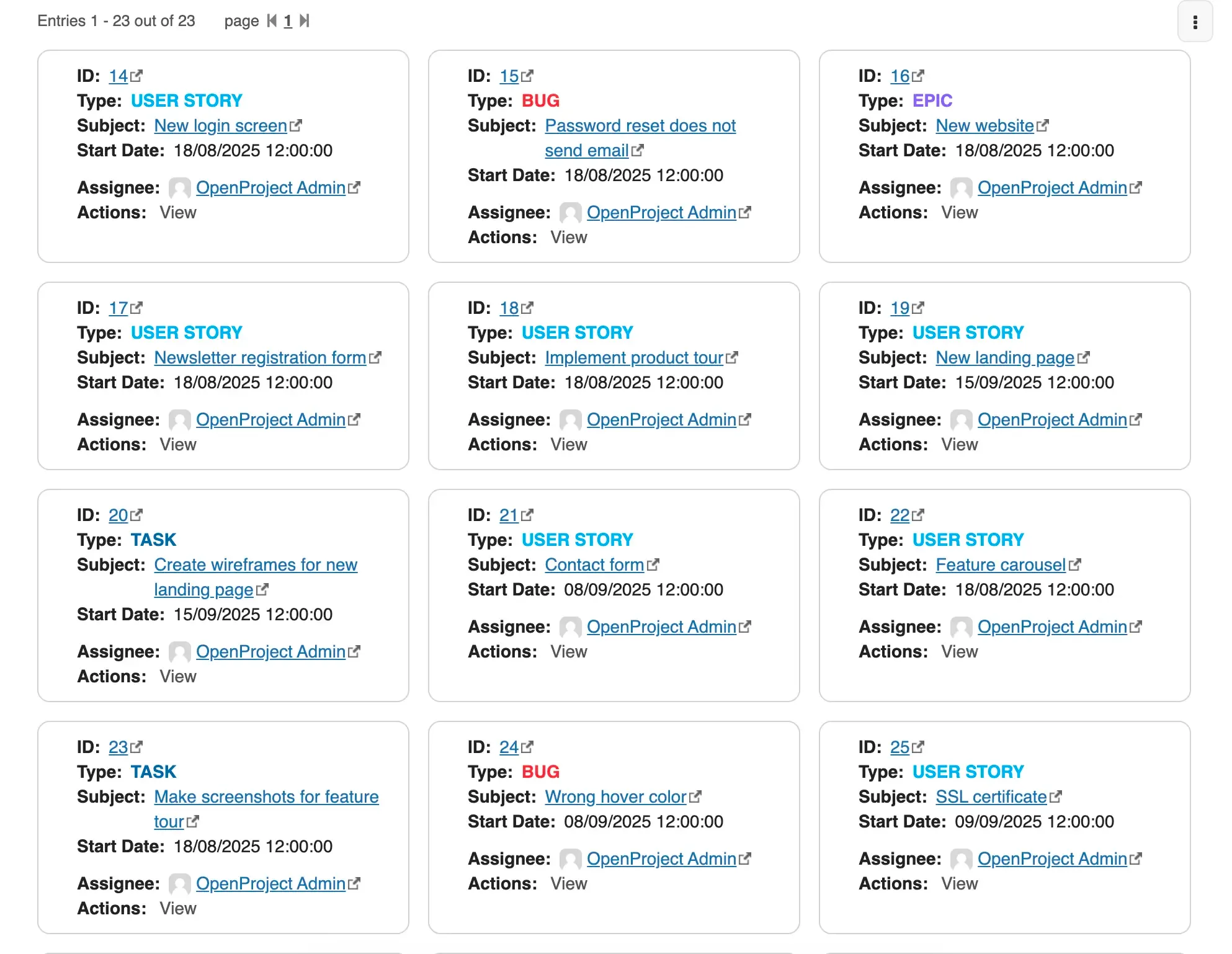
🎉 We’re thrilled to announce that we've just launched the Open Project Integration (Pro), a new project management tool that connects your OpenProject instance directly to XWiki. This new application allows you to pull filtered work packages straight into your wiki pages. It provides project managers and team leads with a simple way to keep everything aligned in a single open-source workspace.
Thinking about stepping away from Confluence and Jira? This integration makes the move effortless.
💡 For more details on the new app, you can read the release notes.
👉 Try the app for free and let us know what you think! Share your feedback in the dedicated form or open a GitHub ticket in the extension's repository.
#2 Confluence Migrator (Pro)
With this release, we've brought multiple improvements to reports and added a warning when overwriting app pages. If you're an advanced user or an admin, these enhancements will significantly improve your experience with the migrator.
💡 For more details on these updates, you can check out the release notes.
👉 Try out the latest version and let us know how these improvements are helping your workflow. Share your feedback in the dedicated form or open a GitHub ticket in the extension's repository.
#3 Calendar Application (Pro)
The November release comes with a fresh round of UI improvements and bug fixes to the Calendar Application (Pro). More specifically, we've fixed the issue about the Calendar field missing from the Event prompt editing menu. We've also solved a bug that prevented the colors of the calendar events from being saved.
These updates ensure a more stable, reliable, and user-friendly experience, so planning team meetings and tracking project deadlines will work better for everyone using the app.
💡 For more details on these updates, you can read the release notes.
👉 Update to the latest version and take advantage of these fixes and improvements. Share your feedback in the dedicated form or open a GitHub ticket in the extension's repository.
#4 Pro Macros
The latest update delivers faster performance for the View File macro, along with several stability improvements throughout the macros. These optimizations ensure that the View File macro works more quickly for you, while overall usage becomes more reliable.
💡 For more details on these updates, you can see the release notes.
👉 Update to the latest version and let us know if you have any feedback. Share your comments in the dedicated form or open a GitHub ticket in the extension's repository.
#5 Stability and UX improvements
We've addressed several minor issues and introduced small enhancements to stability and user experience across all Pro Applications.
These updates provide a more reliable and consistent environment, helping you carry out everyday tasks more smoothly and stay focused on your work.
👉 Update all Pro Apps that you use to the latest version to benefit from these improvements, and please share your feedback if you notice any new issues.
✨ What's next
In the upcoming version 3.10.0, we're revamping the Task Manager Application (Pro) to make it more performant and flexible. You'll be able to assign multiple users to a single task, enjoy enhanced inline task functionalities, and benefit from various bug fixes and other improvements. This way, managing tasks becomes more efficient and collaborative.
*